Table of contents
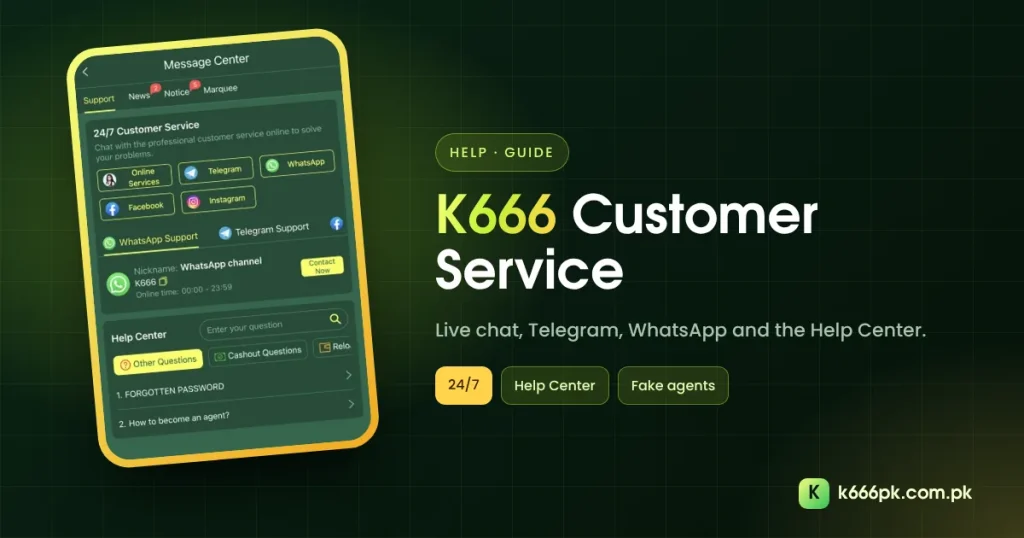
K666 customer service sits in the Message Center under Support, with live chat, Telegram, WhatsApp, Facebook and Instagram, plus a searchable Help Center. This guide shows where each option is and what to send so problems get fixed quickly.
Opening K666 Customer Service
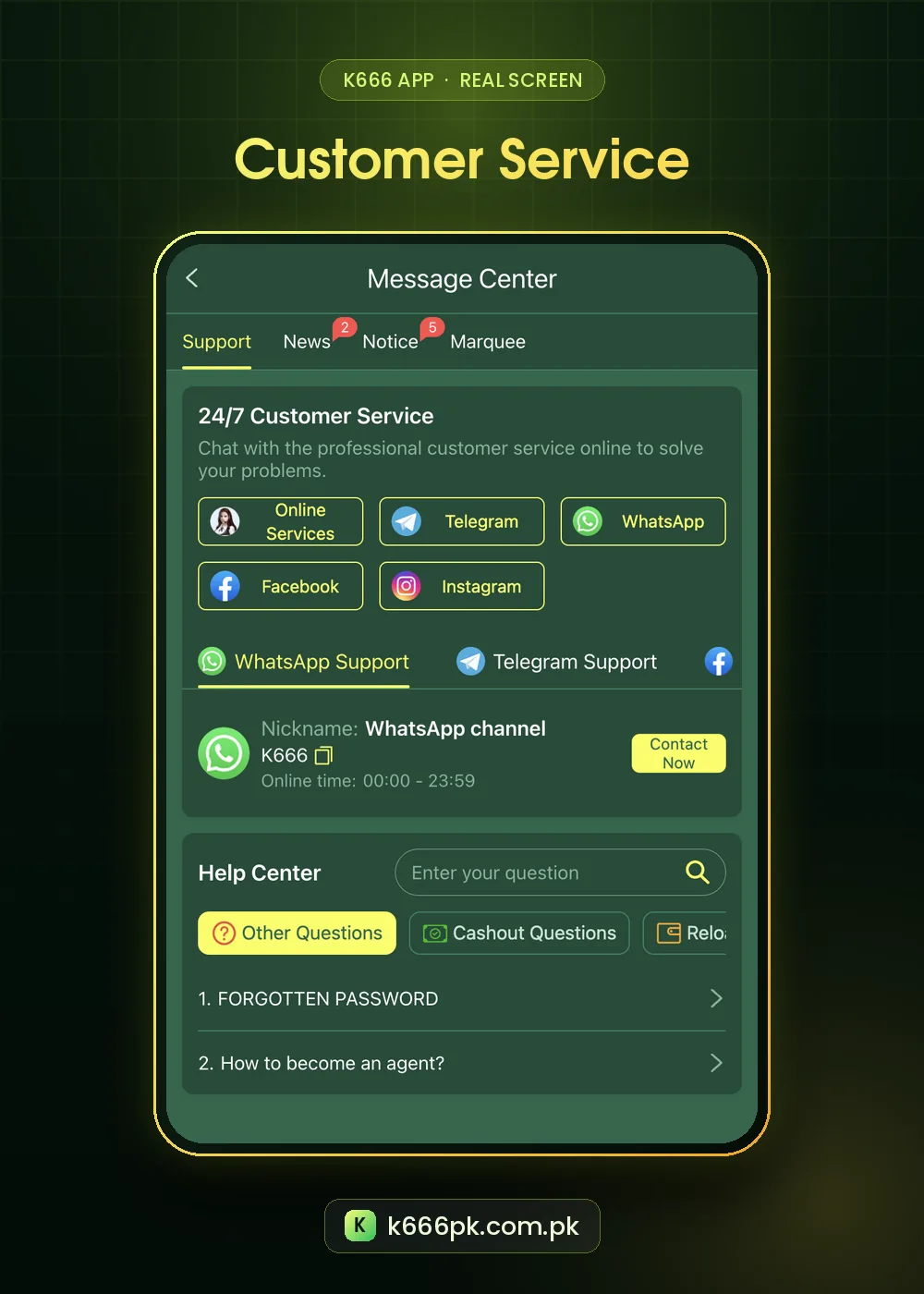
| Channel | Where | Notes |
|---|---|---|
| Online Services (live chat) | Support tab | Also reachable here: K666 live chat |
| Telegram / WhatsApp | Support tab buttons | WhatsApp channel online 00:00–23:59 |
| Facebook / Instagram | Support tab buttons | Official pages |
| Help Center | Below the channels | Other Questions, Cashout Questions, Reload |
The bottom bar’s Support tab opens the same screen. The Message Center also has News, Notice and Marquee tabs for announcements.
What to Send K666 Customer Service
| Problem | Include |
|---|---|
| Deposit not credited | Time, amount, method, transaction ID |
| Withdrawal pending | Request time, amount, My Records screenshot |
| Missing reward | Event name, date, screenshot of the task |
| Forgotten password | Registered number or email |
- Write the problem in one sentence.
- Attach the receipt or screenshot.
- Give your user ID only if asked; never your password or OTP.
- Keep one chat per problem.
K666 Help Center Topics
Before chatting, search the Help Center. “1. FORGOTTEN PASSWORD” and “2. How to become an agent?” sat at the top of Other Questions. Cashout Questions covers withdrawals.
Fake K666 Customer Service Warnings
Fake agents message you first, ask for OTP codes or ask for “release fees”. Real support does none of these.
- Use only the buttons inside the app or the official live chat link.
- Ignore numbers posted in comments or random groups.
- Report suspicious WhatsApp accounts using WhatsApp’s help center steps.
For account access issues, see our K666 login guide.
A Message Template That Gets Answers
Copy this structure when you open live chat:
| Line | Example |
|---|---|
| Problem | Deposit not credited |
| When | Today 8:15 pm |
| Amount | Rs 1,000 |
| Proof | Screenshot of receipt attached |
| Account | Registered number ending 1234 (no password) |
Help Center Categories
- Other Questions: forgotten password, becoming an agent.
- Cashout Questions: withdrawals and delays.
- Reload: deposits and top-ups.
Escalating Politely
If a problem is not solved, reply in the same chat with the original details and ask when to expect an update. Opening many chats for one issue slows things down. Keep every reply that confirms a fix.
If someone contacts you first claiming to be support, report the account through the platform’s tools and check the official link list. SIM swap scams target SMS codes; PTA explains how to protect your number.
Step by Step: Opening Live Chat
- Tap Support in the bottom bar.
- Choose Online Services for live chat.
- Pick a category if asked.
- Send your problem using the template above.
- Keep the chat open until you get a reply.
Customer Service Glossary
| Term | Meaning |
|---|---|
| Online Services | Live chat inside the app |
| News | Brand announcements |
| Notice | Dated service notices |
| Marquee | The scrolling messages on the home screen |
Notice items such as “Deposit & Withdrawal Service” often explain delays before you need to ask. Check that tab first when payments are slow.
Final Tips for Faster Help
Support teams handle many chats at the same time. Short, complete messages get answered first. Avoid voice notes when a screenshot says the same thing, write in English or Urdu as you prefer, and stay polite even when a payment is late. If a problem keeps repeating, keep a dated list of each contact so you can show the full history in one message.
K666 Customer Service FAQ
Is K666 customer service 24/7?
The Support tab is titled “24/7 Customer Service”, and the WhatsApp channel listed 00:00–23:59.
Can this site fix my account?
No. Only official K666 support can.
Where are announcements?
In the News, Notice and Marquee tabs of the Message Center.