Table of contents
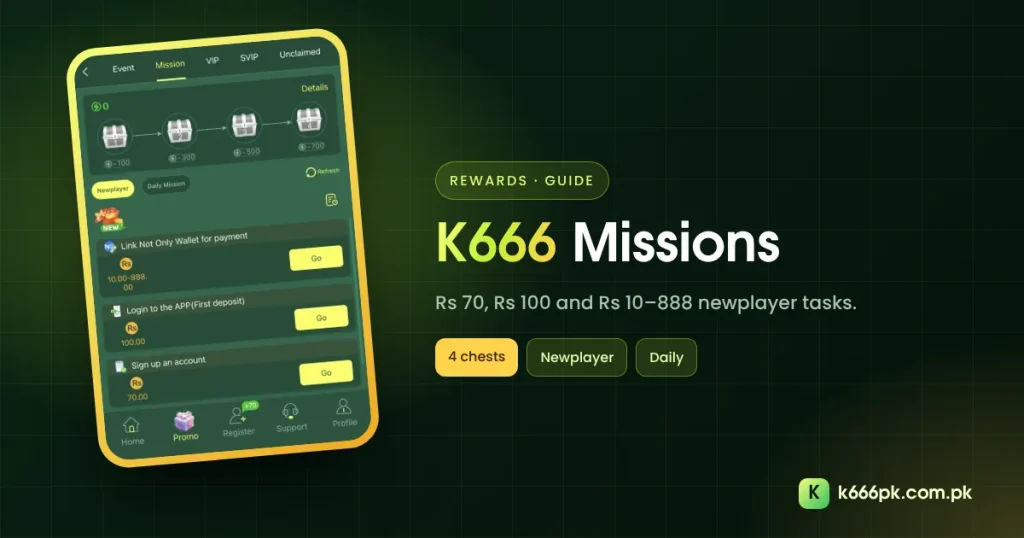
K666 missions live in the Mission tab of Promo. They give new players three starter tasks and everyone a daily list, with activity chests at 100, 300, 500 and 700 points. This guide explains each task and which ones need a deposit.
Where to Find K666 Missions
Open Promo → Mission. At the top is your activity point total and a row of four chests. Below are two buttons, Newplayer and Daily Mission, a Refresh button and a records icon.
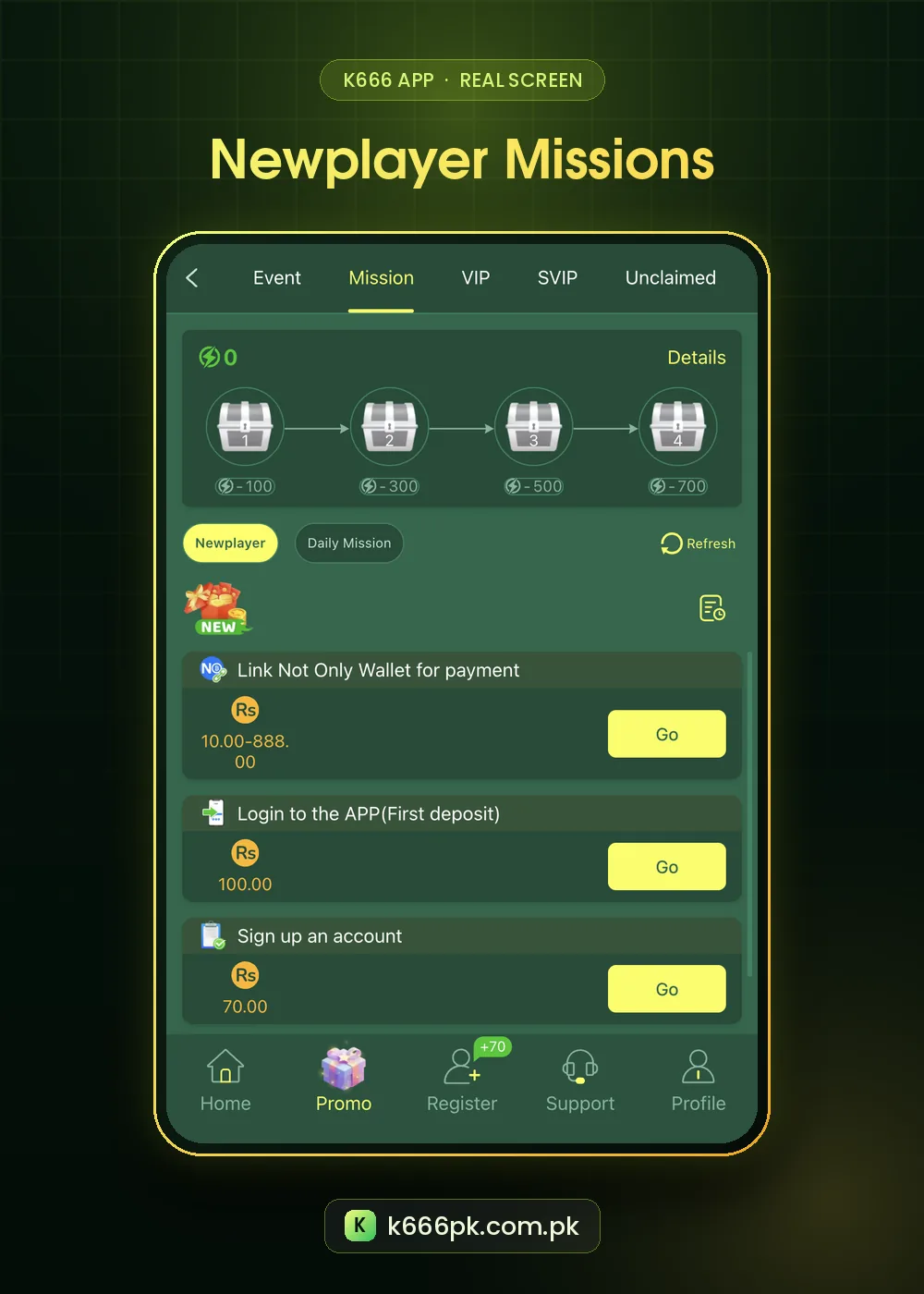
K666 Newplayer Missions
| Task | Reward shown | Needs a deposit? |
|---|---|---|
| Sign up an account | Rs 70 | No |
| Login to the APP (First deposit) | Rs 100 | Yes, a first deposit |
| Link Not Only Wallet for payment | Rs 10 to 888 | Linking a wallet |
Tap Go to start a task. The sign-up task is the only one that pays without money changing hands. The wallet task links the NO Wallet payment method; read our explainer on it first.
K666 Missions Activity Chests
| Chest | Points needed |
|---|---|
| 1 | 100 |
| 2 | 300 |
| 3 | 500 |
| 4 | 700 |
Completing tasks adds activity points. When the total passes a chest’s number, the chest can be opened. Tap Details for the point value of each task.
K666 Daily Missions
Daily Mission lists tasks that reset each day, usually tied to deposits, bets or logins. Like check-in, they reward activity you were planning anyway; they should not decide how much you play.
Rewards often land in Unclaimed. Tap Refresh rewards if a finished task does not show. Our K666 bonus guide covers every tab.
Smart Order for New Players
- Register and claim the Rs 70 sign-up task.
- Read the first recharge table before any deposit.
- If you deposit, do it inside your budget and claim the Rs 100 app task.
- Only link a wallet after reading the K666 NO Wallet guide.
Do not complete deposit tasks just for the reward. Play within limits; help is available from Gamblers Anonymous.
How Activity Points Add Up
Each mission shows its point value under Details. Simple tasks such as signing up and logging in add points quickly, while deposit tasks add more. When the bar passes 100, the first chest opens; 300, 500 and 700 open the rest.
| Goal | What usually helps |
|---|---|
| Chest 1 (100) | Starter tasks |
| Chest 2 (300) | Starter plus a first deposit task |
| Chests 3–4 (500–700) | Several days of daily missions |
Daily Mission Habits
- Check the list once a day; do not play just to finish it.
- Prefer tasks that need no deposit.
- Collect from Unclaimed before the reset.
- Ignore tasks that would break your budget.
Mission Rewards vs Other Offers
The Rs 70 sign-up task is the only reward we saw that needs no money at all. The Rs 100 app task needs a first deposit, so pair it with the first deposit bonus if you were going to deposit anyway. For all popups, see the K666 bonus guide.
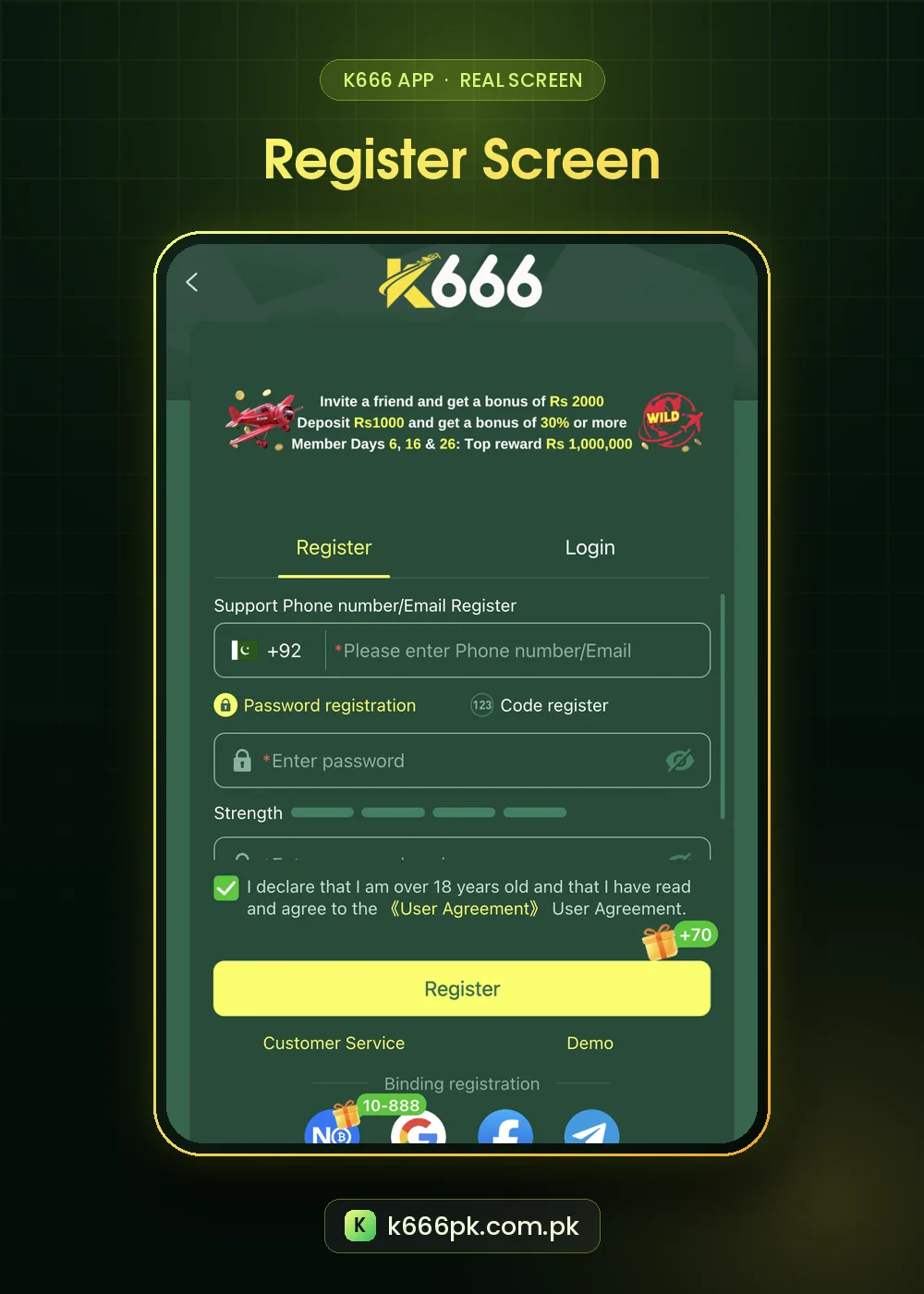
Step by Step: Completing K666 Missions
- Open Promo → Mission.
- Choose Newplayer or Daily Mission.
- Tap Go on a task; it opens the right screen.
- Finish the task, then return and tap Refresh.
- Watch the K666 missions points bar move toward the next chest.
- Open each chest as it unlocks.
K666 Missions Glossary
| Term | Meaning |
|---|---|
| Activity points | Points from completed tasks |
| Newplayer | One-time tasks for new accounts |
| Daily Mission | Tasks that reset every day |
| Details | Point values and rules |
K666 missions are useful when they reward things you were going to do anyway, such as logging in. Skip any task that would push you to deposit more than planned.
K666 Missions FAQ
Which K666 missions are free?
“Sign up an account” (Rs 70) needs no deposit.
What are the K666 mission chests?
Four chests at 100, 300, 500 and 700 activity points.
Why is my reward missing?
Tap Refresh, then check Unclaimed and History.